
Reviewed · SOUTH KOREA
South Korea Data eSIM: 0.5GB/day to 30GB-30Days(Instant Delivery)
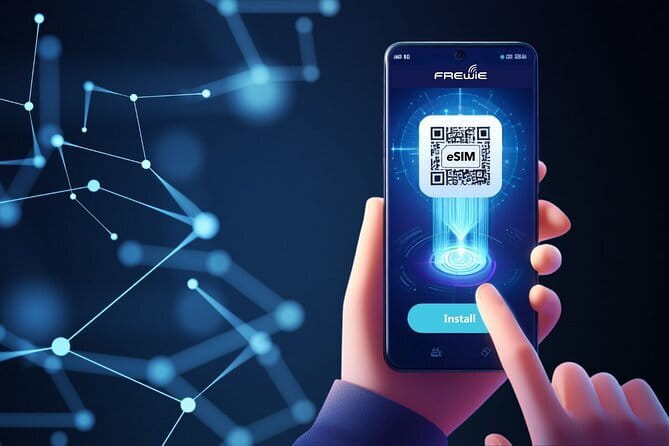
This experience is interesting because it turns South Korea mobile data into a do-it-yourself setup. You get a QR code fast, scan it, and your plan becomes live when you install it. No airport SIM lines, no swapping cards in tiny booths.
What I like most is the speed and simplicity: eSIM QR code delivery within minutes and installation by scan. I also like the way data is structured, with unlimited data, then reduced speed after your high-speed allowance.
The main drawback to consider is compatibility. If your phone does not support eSIM or is carrier-locked, this can turn into wasted time, and the policy says there are no refunds for eSIM compatibility issues.
Key highlights you should care about
- QR code setup in minutes after purchase, with activation starting when you install the eSIM
- 4G LTE or 5G speeds depending on local availability, using major networks like KT and SK Telecom at hubs
- Hotspot support, so you can share your connection for maps and messaging
- Unlimited data, with reduced speed at 128 kbps after the high-speed allowance
- Data-only plan, meaning no phone number for calls and no SMS support
- Start within one month of purchase, and expect daily plan resets at 00:00 (+8 GMT)
Instant QR eSIM setup for Daegu trips that start fast

Think of this as a digital “arrival kit.” Instead of hunting down a SIM counter in Incheon or paying airport markups, you prep your phone ahead of time. When the QR code arrives, you scan, install, and you are on mobile data.
In the real world, that matters. One of the strongest review signals here was how quickly people got online after landing, including use right when arriving at Incheon. Another person mentioned coverage staying solid even when they went to Pyeongchang, around three hours from Seoul, with mountainous surroundings.
You also avoid a classic travel headache: swapping physical SIMs. With an eSIM, the phone handles the identity step. The only job on your side is getting the install right the first time.
What else people book around Daegu:
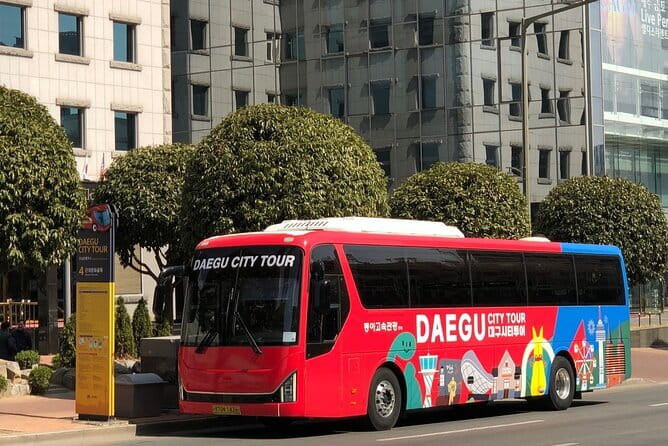
- Daegu Hop on Hop off City Tour Bus Discount Ticket (내국인불가)
★ 3.5 · 6 reviews - Daegu Highlights & private tour with a Licensed guide
★ 5.0 · 3 reviews
Price and value: why this beats airport SIMs for data needs
The package price is $3.18 per person for a South Korea data eSIM. The plan range you can choose from is 0.5GB per day up to 30GB for 30 days.
Here is the value math I use. In a typical South Korea trip, your “must-have” internet is for maps, transit, ride-hailing, weather, and messaging apps. If that is your use pattern, an eSIM that gives you daily coverage plus unlimited use after high-speed runs out can be a better deal than an airport SIM, where the going rate can feel inflated.
One review nailed the comparison. The person specifically said airport SIM prices were incredibly high, and they were lucky to have bought this eSIM instead. Even if you do not compare to the exact same counter, the takeaway is the same: pre-buying usually wins for cost and speed.
This is also a one-time prepaid plan with no auto-renewals or contracts. That matters if you do not want surprises after your trip ends.
How the data plan works: daily resets, 128 kbps, and hotspot
This is where the details actually help you manage your phone like a pro.
Daily resets at midnight local time
Your daily plan portion resets every day at 00:00 (+8 GMT). After that reset, your high-speed allowance starts fresh according to the plan you selected.
So if you notice your internet feels slower near the end of the day, that is often just the clock running out. Planning one bigger upload or video check before bedtime can save you from “why is my data crawling” moments.
Unlimited data, then reduced speed after the allowance
After your selected high-speed data is used, you do not lose data. You get unlimited data, but at 128 kbps, and the description frames it around messaging apps.
That means you should treat the reduced-speed period as “keep in touch” mode, not “stream everything” mode. Think WhatsApp, iMessage equivalents, basic browsing, and sending photos when they are not huge.
Hotspot support is included
Mobile hotspot is supported. That is a big deal for groups or families where one person’s phone powers the rest.
If you are sharing internet with a laptop or second device, just remember that hotspot uses your data budget too. After high-speed drops, hotspot performance will also feel constrained.
Data-only, no calls or SMS
This plan is data only. It does not include a phone number for calls and it does not support SMS.
If you rely on a local number for verification codes, you will need another plan. If you only need data for messaging apps and apps that work via data, you are in good shape.
Coverage and real-world performance: Seoul to Pyeongchang connections

The technical promise is 4G LTE or 5G speeds depending on availability. It also connects to major networks in South Korea, including KT.
But the real question is, does it hold up beyond the easy parts of a trip?
Two review themes suggest yes, when set up correctly. One person said they had great connection in Seoul and used it around Pyeongchang, about three hours from Seoul, including areas surrounded by mountains. They specifically said coverage was still great there.
Another review mentioned good connectivity when landing at Incheon. That lines up with what you care about on arrival day: can you get online to grab transit info, locate your hotel, and order food without hunting down Wi-Fi?
My practical tip: plan for the first 15 minutes. When you first activate, make sure you are connected to the eSIM data profile, then run a quick check. Open a map, load a search page, and confirm you are not still stuck on airplane mode or an old network.
Compatibility: the two-phones-worked, two-failed lesson
This is the part you should treat like a checklist, because one bad phone can derail your trip.
The plan works only on eSIM-compatible devices that are not carrier locked. The description also warns that most devices bought in China and Hong Kong may not support eSIM.
One of the lower ratings described a frustrating setup attempt: when installing in South Korea, 2 phones did not work, even though the phones were not under a contract. The reviewer tried several installation methods, and still could not access internet on those two devices.
That tells me two things. First, compatibility settings can be picky. Second, even when phones are similar, the eSIM profile behavior can differ.
Here is how I would protect yourself, using only the realities this plan mentions:
- Check your phone’s eSIM support before you buy, not after you land
- Confirm your phone is not carrier-locked
- If you have multiple phones, test the install on the device most likely to succeed first
- If you bought the phone in China or Hong Kong, assume eSIM support might be limited and verify online or with your carrier
If you can, install the eSIM before you leave home. The plan validity starts when installed, so you do not want to install too early, but you also want to confirm the setup works.
Activation timing: when your data actually starts

This eSIM plan has a clean rule: the plan starts upon installation. That means the clock begins when you install the eSIM profile on your phone.
It also adds another timing guardrail: you should start using the eSIM within one month of purchase.
So you have to balance two things:
- Don’t install days and weeks before you travel, or you risk cutting into your travel window
- Don’t wait until you are tired at night in a new city, because then troubleshooting is harder
A smart approach is to aim for a “just in time” install. Do it soon enough that you can confirm data works, but not so early that you burn days.
Also note the daily reset behavior. If you arrive mid-day, you might want to use your high-speed period for the tasks that need speed, then rely on messaging-app speed later.
What happens if things go wrong and support is slow

Not every experience lands perfectly. One review described a plan where it took a while to start. Then it worked on day one, but the connection stopped on day two and day three even though nothing changed. Support took a few days to get back.
So what should you do if your eSIM acts weird?
Based on the available guidance, your first move is to use support through the channel they specify: respond to the email from the Viator Supplier. There is also an address listed for contact in the responses, [email protected].
In the moment, do the quick things that usually fix eSIM confusion:
- Confirm mobile data is turned on for the correct SIM profile in your phone settings
- Re-check that you are using the eSIM, not falling back to Wi-Fi or another SIM
- Toggle airplane mode briefly, then try loading a simple page or map again
If your issue persists, you will want to message support quickly. The review about delayed response is a reminder that you should not wait until your internet-dependent day is fully over.
A practical “itinerary” for your eSIM day-by-day
Since this is a digital product, your travel “stops” are more like stages of setup and usage. Here is how it plays out in a realistic timeline.
Stop 1, Before travel: you buy, then get the QR code quickly. This stage is all about readiness. You want your phone settings ready and your eSIM plan downloaded.
Stop 2, Arrival in Korea: you install the eSIM so your data starts. Reviews mention using it after landing at Incheon, so it is set up for arrival needs, not just office Wi-Fi.
Stop 3, Daegu and day-to-day movement: your plan provides daily high-speed data with unlimited reduced-speed after that. Use maps, transit info, and messaging apps daily. Expect the speed pattern to change as the allowance resets at midnight.
Stop 4, After high-speed runs out: switch your behavior. Browsing and messaging can work fine at 128 kbps, but heavy video streaming may not be pleasant. Hotspot still works, but treat it as lightweight sharing.
This stage-based thinking keeps your day smooth and avoids the “my internet died” feeling. It is usually a speed drop or daily reset, not total failure.
Who should book this data eSIM, and who should skip it
This eSIM is best for you if:
- You want mobile data fast in South Korea without hunting for a SIM card
- You travel with a phone that is eSIM compatible and not carrier locked
- Your needs are mainly apps that run on data, like maps, messaging apps, and ride-hailing
- You want hotspot support for a second device
You should probably skip or double-check first if:
- You need a phone number for calls or SMS. This plan is data only.
- Your phone might be one of the models that often lack eSIM support, especially if bought in China or Hong Kong
- You cannot afford any downtime. There are examples of install issues and delayed support, so you need at least one backup option (like Wi-Fi access) if something goes sideways
Should you book this South Korea data eSIM for $3.18?
I would book it if your phone supports eSIM and you primarily need data. The value case is strong: instant QR delivery, unlimited data, hotspot support, and speeds that can reach 4G LTE or 5G through major networks like KT.
I would pause before booking if you are unsure about eSIM compatibility, because the policy is clear: there are no refunds for compatibility issues, and support can take time in edge cases. In that situation, you might still be able to use it, but you should verify your device first and plan a backup.
FAQ
FAQ
How fast will I receive the eSIM QR code after booking?
You should receive the eSIM QR code within minutes.
When does the eSIM plan start running?
The plan validity starts immediately when you install the eSIM.
Can I use this eSIM for calls or SMS?
No. This is a data-only eSIM. It does not include a phone number for voice calls or SMS messages.
Does the eSIM support mobile hotspot?
Yes, mobile hotspot is supported.
What happens after I use my high-speed data allowance?
After your selected high-speed allowance is used, you still get unlimited data but at reduced speed of 128 kbps, with the plan description focused on messaging apps.
Does the eSIM work in South Korea at 4G LTE or 5G speeds?
Yes. It connects to major local mobile networks at 4G LTE or 5G speeds, depending on availability.
Will this work on any unlocked phone?
It works with eSIM-compatible devices that are not carrier locked. Devices bought in China and Hong Kong may not support eSIM, so you should check compatibility.
What should I do if I need help installing the eSIM?
You should respond to the email from the Viator supplier for assistance and queries.
How long do I have to start using the eSIM after purchase?
You need to start using the eSIM within one month of purchase.
Recently reviewed in Daegu
- Daegu Highlights & private tour with a Licensed guide★ 5.0 · 3 reviews
- Daegu Hop on Hop off City Tour Bus Discount Ticket (내국인불가)★ 3.5 · 6 reviews